

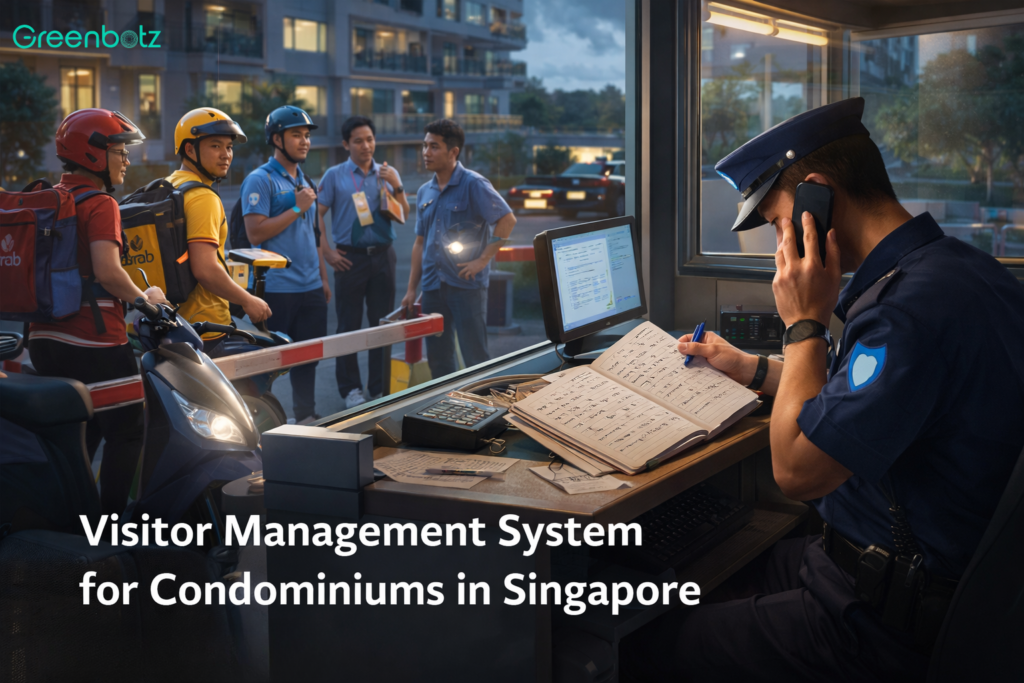
Picture this: It’s Saturday evening, your condo is hosting a pool party for one resident’s family reunion, three food delivery riders are waiting at the guardhouse, a plumbing contractor just showed up for an urgent pipe repair, and the security guard on duty is trying to juggle a paper logbook, a phone call to a resident who isn’t picking up, and a growing queue of impatient visitors.
Sound familiar? If you’re managing a Singapore condominium in 2026 and still relying on a paper visitor logbook, you’re not just dealing with a workflow headache and you’re sitting on a compliance risk that Singapore’s Personal Data Protection Commission has already acted on.
The good news: there’s a better way. And it doesn’t have to be complicated.
What Exactly is a Visitor Management System?
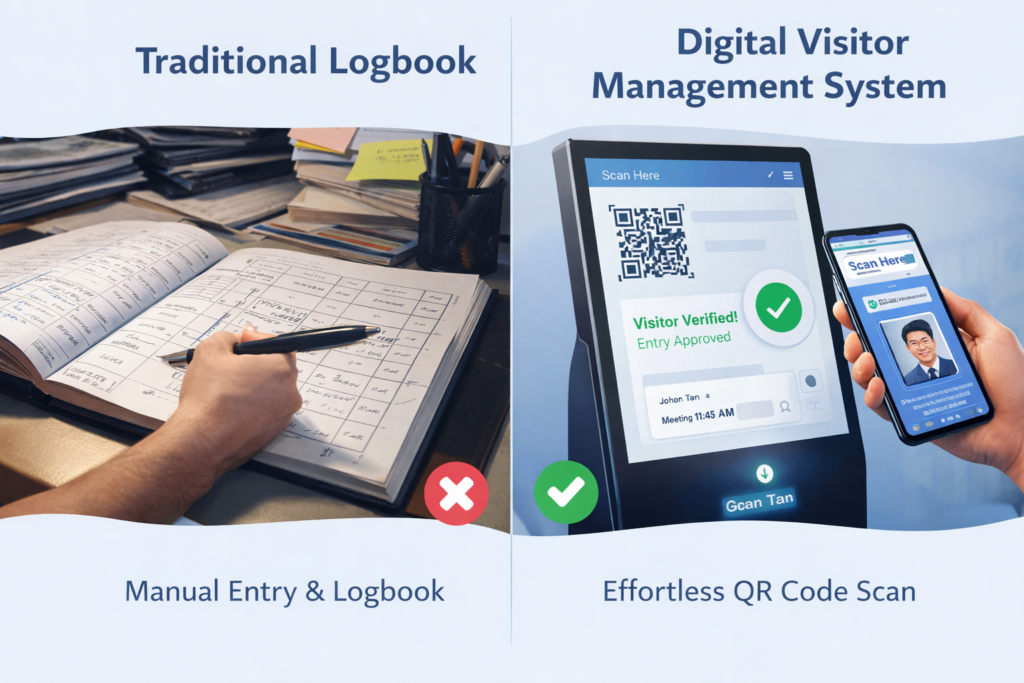
A Visitor Management System or VMS System is a digital platform that handles everything involved in managing who comes into your condo estate. Think of it as replacing your paper logbook with a smart, connected system that does the work automatically.
Instead of a guard writing down an NRIC number by hand and calling a resident to confirm, a VMS handles all of that:
- Visitor scans their NRIC or shows a QR code at a self-service kiosk
- Resident gets an instant notification on their phone
- Access is granted (or denied) automatically
- A digital record is created, timestamped, and stored securely
- When the visitor leaves, the record is updated
- Data is retained and then deleted in line with PDPA requirements are no manual housekeeping needed
The whole check-in process takes under 30 seconds. Your guard is freed up to focus on actual security work, not paperwork.
Why are So Many Singapore Condos Making the Switch?
We hear a few common reasons from estate managers and MCST councils when they come to us:
Our guards are spending half their shift on visitor admin
At a busy condo, you might have 80 to 120 visitor entries a day across peak hours. That’s a lot of manual data entry, phone calls to residents, and back-and-forth at the guardhouse. A VMS handles the routine stuff automatically, so your security team can focus on what actually needs human judgement.
We had a PDPA complaint about the open logbook
This one comes up more than people expect. A visitor logbook sitting open on the guardhouse counter, visible to the next person in the queue which is a real PDPA risk. The PDPC has issued corrective directions to MCSTs and their security vendors over exactly this kind of exposure. A digital VMS solves it by design: visitor data is never visible to other visitors, and access to records is restricted by role.
Residents keep complaining they don’t know when their visitors arrive
With a VMS, residents get an instant push notification the moment their guest checks in. They can also pre-register expected visitors from their phone like a cleaner, a friend coming for dinner, a repair technician, so the whole check-in is as simple as a QR code scan. No phone calls, no waiting, no confusion at the gate.
We had a security incident and couldn’t tell who was on the premises
This is the one that really gets MCST councils paying attention. In an emergency like a fire, a security breach, a missing person where you need to know exactly who is in the estate right now. A paper logbook can’t give you that. A VMS can, instantly, on any device, including the guard’s phone and the estate manager’s laptop.
Real Talk: How One Singapore Condo Transformed Its Visitor Process
“We used to have guards spending almost a third of their shift just processing visitor entries. Now the kiosk handles the routine check-ins, and our guards are actually doing security work.” – Estate Manager, Singapore Condo, West Region, Singapore.
The Estate: 380-unit private Singapore condominium, West Region, Singapore
The Problem: The estate was processing around 95 visitor entries per day across two guardhouses. Guards were handling everything manually, NRIC transcription, resident call-ups, logbook entries which meant they were rarely available for active patrols. The MCST had also received a resident complaint after a visitor’s NRIC was spotted by another visitor in the open logbook. The managing agent flagged this to the MCST council as a potential PDPA liability.
The Solution: Greenbotz VMS was deployed across both guardhouses, with self-service kiosks, NRIC scanners, and integration into the estate’s existing Hikvision CCTV network. Residents were onboarded to the Greenbotz BiomeX app for pre-registration and arrival notifications. The estate manager received access to the cloud-based management dashboard from day one.
Implementation: Six weeks from the initial site assessment to full go-live. The estate ran VMS alongside the paper logbook for one week before cutting over completely, so there was no gap in coverage and guards had time to get comfortable with the new system.
The Result: Visitor processing time cut from 2 minutes to under 30 seconds, guard time on visitor admin reduced by 80%, zero PDPA-related complaints since deployment, MCST DPO confirmed satisfactory compliance posture; resident satisfaction survey showed 90% improvement in estate management rating.
Let’s Talk About PDPA, Because Your MCST Needs to Know This
PDPA compliance is one of those topics that often gets pushed to the bottom of the MCST agenda until something goes wrong. Here’s what you actually need to know about how it applies to your visitor management process:
Your visitor logbook is probably a PDPA risk right now
If your visitor logbook sits open on the guardhouse counter, any person walking past can see the names, NRIC numbers, and unit destinations of everyone who visited before them. That’s a data breach waiting to happen and the PDPC’s Advisory Guidelines for Management Corporations (March 2019) explicitly address this. A digital VMS hides visitor data from everyone except authorized staff.
You can only collect what you actually need
The PDPA’s ‘minimum necessary’ principle means you should only be collecting visitor data that’s genuinely needed for access management: name, NRIC/FIN or passport number, unit visiting, and time in and out. Anything extra needs a good reason. A well-configured VMS enforces this automatically through its registration flow.
Old visitor records can’t just sit in a filing cabinet forever
Personal data can’t be retained indefinitely. The general guidance for MCST visitor records is a retention period of up to five years (for audit and legal purposes), with secure disposal or anonymization after that. With a paper logbook, this almost never happens in practice. With a digital VMS, automated purge policies handle it without anyone having to remember.
Not everyone on your team should be able to see visitor records
Under PDPA, access to personal data should be limited to staff who genuinely need it. In practice, this means your security guards should be able to process visitors but only your estate manager or DPO should be able to export or review historical visitor records. A VMS enforces this through role-based access controls built into the system.
How Greenbotz VMS handles PDPA compliance automatically:
|
Every Type of Visitor Your Condo Gets and How the System Handles Them
One thing we hear a lot is:
Does it work for delivery riders, or just regular guests?
The answer is Yes a good VMS is designed around the full range of visitors a Singapore condo actually receives.
Here’s a quick breakdown:
Who | The Usual Challenge | How VMS Handles It | PDPA Note |
Guests & friends | Resident not reachable; guard has to keep calling up | Resident pre-registers via app; QR code sent to visitor; push alert on arrival | Data masked from other visitors; auto-purged per retention schedule |
Food delivery (Grab Food, Food panda etc.) | 15–30 daily at busy estates; huge queue at guardhouse during peak hours | Self-service fast lane; photo capture; no guard needed for routine delivery check-in | Minimal data; recommend 24-hr auto-purge |
Parcel delivery (Ninja Van, J&T, Sing post) | Driver needs limited access; guard often has to escort | Delivery credential grants access to parcel room only; auto-expires after visit | Retained for parcel dispute resolution period |
FDWs & part-time help | New guards don’t recognize regular helpers; causes delays and awkward confrontations | Recurring visitor profile with access schedule and photo on file for easy verification | Purpose-limited to access management |
Contractors & vendors | No audit trail; hard to verify if visit is authorized; unit manager not always available | Time-limited credentials; zone restrictions; auto-alert if contractor doesn’t check out | 5-year retention per PDPA; unit manager gets entry/exit report |
Property agents | Ad hoc visits; buyer may be a stranger to the guard | Host pre-registers agent and buyers; access limited to unit and common areas | Data purpose-limited to the viewing visit |
Utility meter readers (SP Group, PUB) | Guard may not know if the visit is legit | Pre-authorized vendor list; visit verified against schedule before access granted | Minimal data; auto-purge after billing cycle |
MCST contractors (lifts, pool, landscaping) | Multiple workers per visit; varying schedules; manual tracking is a nightmare | Company-level profile; individual workers check in under the company umbrella | Worker check-in records purged per policy |
What Does the Day-to-Day Actually Look Like?
Here’s the part most people want to know what does this look like in real life, for each person involved?
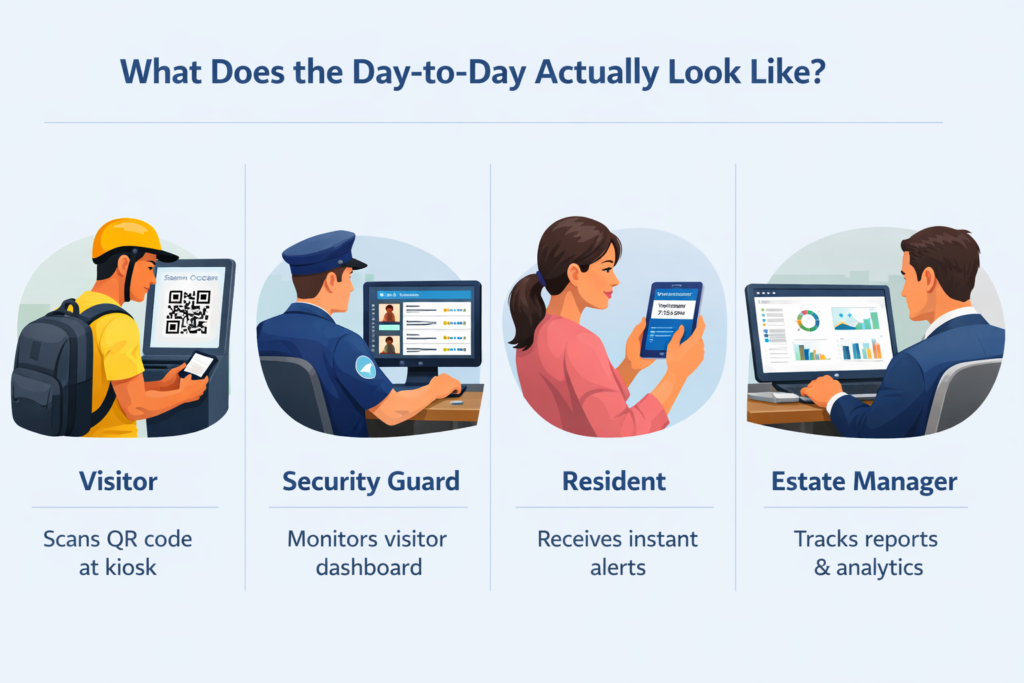
For the visitor arriving at your gate
- Walks up to the self-service kiosk at the guardhouse or main entrance
- Scans NRIC or shows a pre-registered QR code from their phone
- Photo is taken; identity is verified
- Badge prints automatically with name, photo, unit, time-limited access
- Total time: under 30 seconds. No queue, no waiting for the guard to finish a phone call
For the security guard on duty
- Doesn’t have to manually process every routine visitor where the kiosk handles it.
- Gets an instant alert if any visitor triggers a blacklist match or security flag.
- Has a live dashboard showing everyone currently on the premises
- Shift handover report is generated automatically with no more manual transcription
- Still has full override capability for any access decision
For the resident
- Gets a push notification the moment their visitor checks in.
- Can approve or decline remotely from their phone where resident no need to come downstairs
- Can pre-register guests from the app, WhatsApp, or web portal
- Regular visitors (weekly cleaner, tutor, helper) can be set up with standing access
For the estate manager
- Full visitor analytics accessible from any browser or even when off-site
- Real-time evacuation list at any moment and who’s on the premises right now
- Automated PDPA-compliant data management with no manual record housekeeping
- Integrated with your BMS for complete estate oversight in one dashboard
Will it Work with What You Already Have?
This is one of the first questions facility managers ask and it’s a fair one. Nobody wants to rip out a working CCTV system just to install a new visitor kiosk.
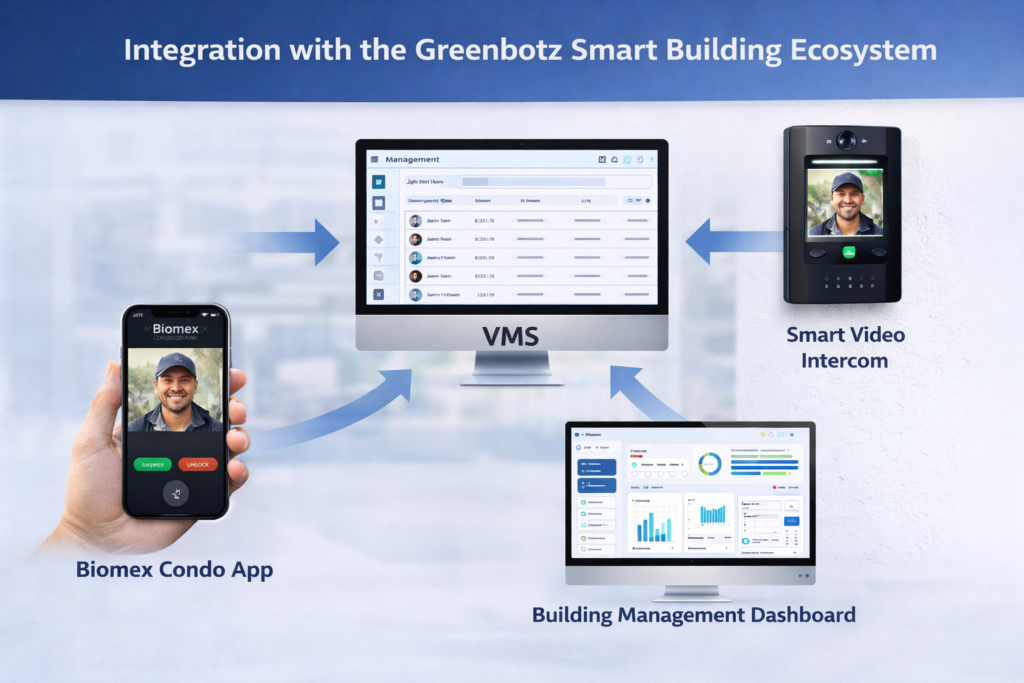
Greenbotz VMS is built to integrate with your existing infrastructure, not replace it. It works with the major brands you’ll find across Singapore condos:
System | How It Integrates |
CCTV (Hikvision, Dahua, Axis, Bosch) | Live feed accessible from the VMS dashboard; visitor photos cross-referenced with CCTV footage |
Access Control (Suprema, HID, Salto, Bosch) | Automated door/gate release on visitor approval; time-limited credentials expire automatically |
Intercoms | Native integration with Greenbotz Smart Intercom; third-party SIP-based systems via API |
Lift/Elevator Control | Visitor credential restricts access to their designated floor only |
Parking (ANPR) | Vehicle plate registered at check-in; barrier opens automatically on arrival |
Fire Alarm / BMS | Evacuation list triggered automatically on alarm; native Greenbotz BMS integration |
Resident App | Native Greenbotz BiomeX app for pre-registration, arrival alerts, and remote access approval |
What happens if the internet goes down?
Good question and one every security manager should ask any VMS vendor. Greenbotz VMS has an offline failover mode built in. When internet connectivity drops, the system continues processing visitors locally at the guardhouse terminal. Data syncs automatically when the connection comes back. Your estate doesn’t lose visitor management capability during an outage.
How Long does it Take to Set Up?
A lot of estate managers assume that implementing a new system means months of disruption and a miserable few weeks of retraining staff. With Greenbotz VMS, the process is structured, low-disruption, and takes six weeks from site visit to go-live:
Week | What Happens |
Week 1 — Site Assessment | We visit your estate, review your guardhouse layout, existing systems, visitor volumes, and PDPA requirements. No commitment needed at this stage. |
Week 2 — Hardware Prep | Kiosk, scanner, badge printer, and network components are configured off-site before installation. |
Week 3 — Installation | Hardware installed at your guardhouses and access points are minimal impact on daily visitor flow. |
Week 4 — Configuration | Blacklist setup, BMS integration, resident database, PDPA retention policies configured to your estate’s specifics. |
Week 5 — Training | Guards, estate manager, and front desk trained on the system. Resident communications sent out for app onboarding. |
Week 6 — Go Live | VMS runs alongside your paper logbook for one week with no gap in coverage. Full cutover at end of week once everyone’s comfortable. |
After go-live, you get 24/7 technical support and automatic software updates. You don’t need an in-house IT team to run it.
Making the Case to Your MCST Council
If you’re an estate manager or managing agent, you know the challenge: you need to bring a technology investment proposal to an MCST council made up of elected resident representatives who are (rightly) careful with maintenance fund spending.
Here’s how the ROI case typically looks for Singapore condos:
Typical outcomes from Greenbotz VMS deployments:
Investment varies by estate size, number of access points, and existing infrastructure. Contact us for a full cost-benefit proposal tailored to your estate. |